
 Fund
Transfer Fund
Transfer |
This session introduces how to transfer through IPPS account.
 IPPS Fund
Transfer
IPPS Fund
Transfer1.Please click on the [IPPS] icon in Fund Transfer page.
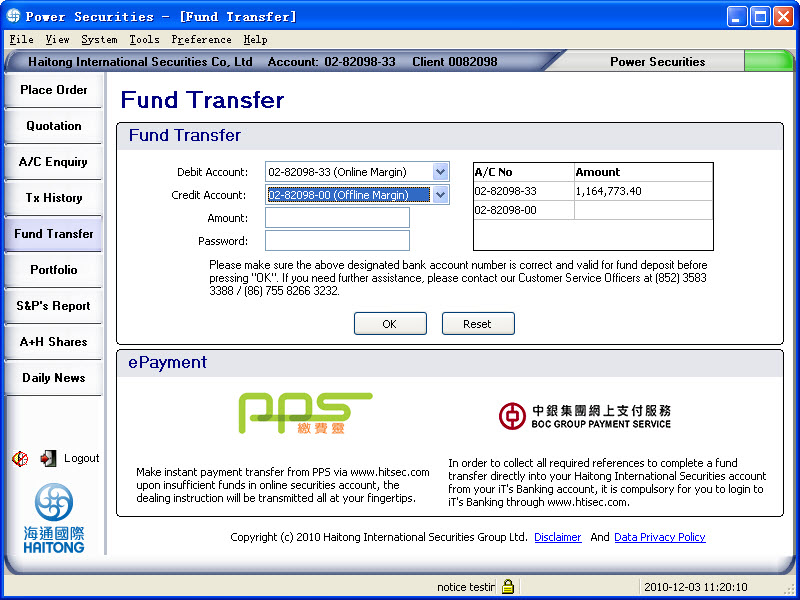
2.Then the IPPS
Fund Transfer page will be shown. Please choose the service and account
number to be credited, and then enter the transfer amount.
For example:
Choose service (Fund Transfer or Transaction Enquiry): Fund Transfer
A/C number: 02-82098-33
Transfer amount:100
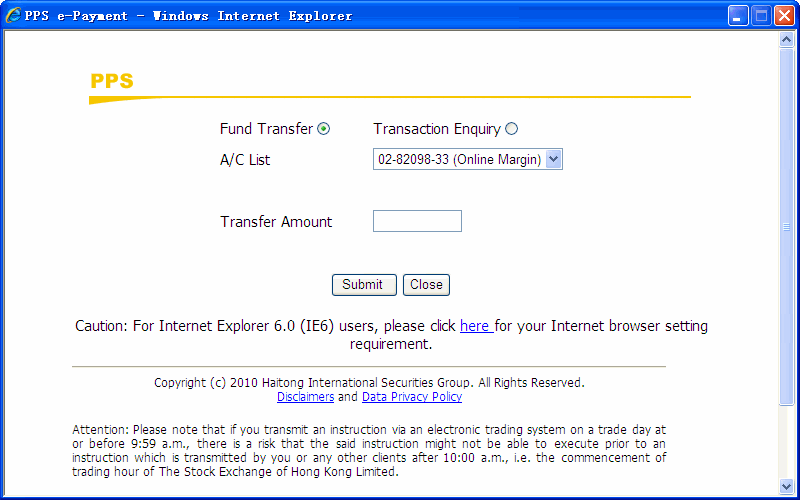
3.After press [Submit], into the PPS e-Payment page will be shown. Please enter your 8-digit PPS account number and password to process the fund transfer instruction.
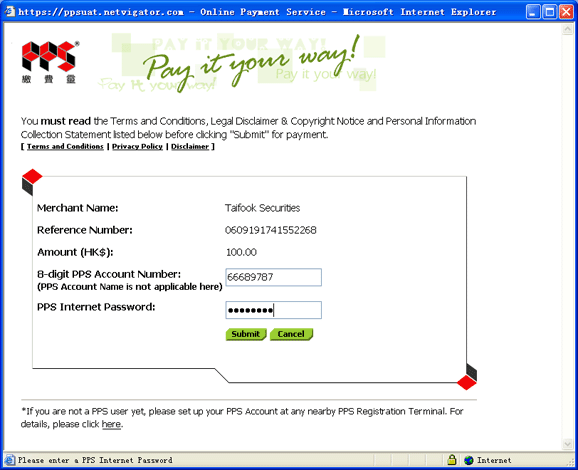
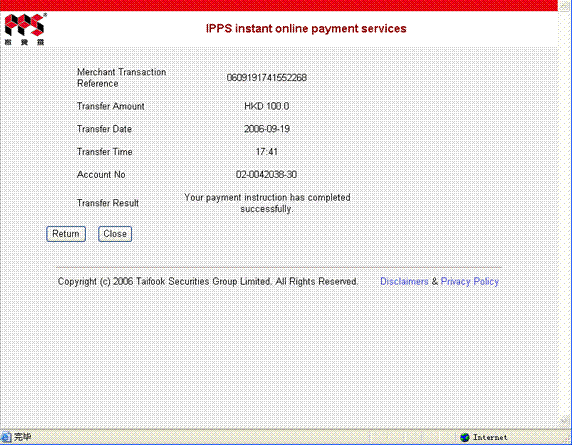
4.The order will be processed and the below confirmation page will be shown if the fund transfer is completed. Please note that it may take about 20 seconds and please do not close the browser until the below confirmation page is shown.
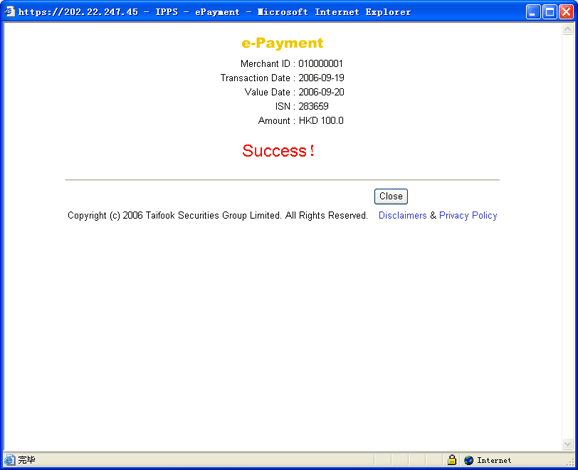
IPPS Transaction Enquiry
You can enquire the transaction record through the Transaction Enquiry function. Please click the [IPPS] icon in Fund Transfer page and choose Transaction Enquiry as below:
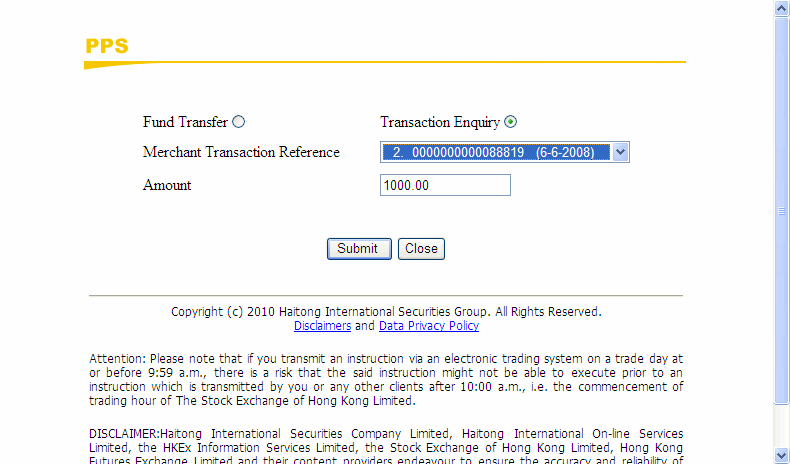
Choose the “Merchant Transaction Reference”and then press [submit]. The result will be shown as below format.
 Reminder:
 The service time is from Monday to Friday, 7:00am to 7:00pm. Service
is not available on Saturday, Sunday and public holiday. Maximum 10 latest
transaction records can be enquired through IPPS. To ensure the
function pages of IPPS can be shown properly throughout the transaction
process, please set up before usage. For more details
about IPPS, please refer to:
The service time is from Monday to Friday, 7:00am to 7:00pm. Service
is not available on Saturday, Sunday and public holiday. Maximum 10 latest
transaction records can be enquired through IPPS. To ensure the
function pages of IPPS can be shown properly throughout the transaction
process, please set up before usage. For more details
about IPPS, please refer to:http://www.htisec.com/en/cs/faq_table.jsp?table=faq_ipps |