
 Delete
Order Delete
Order |
For the order request not yet completely filled (including those received,
queuing and partially filled), our system offers:
The function of order deletion: withdraw those orders
outstanding quantity not yet finished.
Bulk Cancel: cancellation of all on those orders unfinished
 The function of order deledtion
 Procedures:
1.Select record(s) that you want to delete.For example:
select Order ID:80148
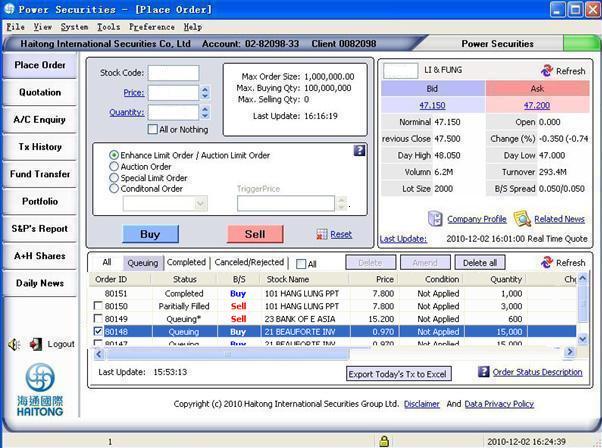
2.Click [Delete] button,system pop up Delete Order window.
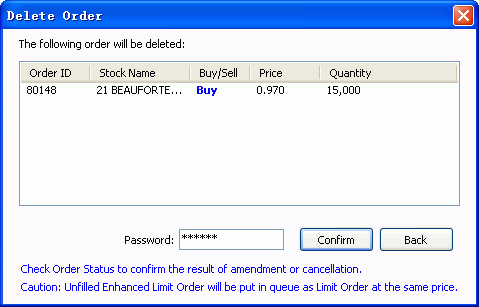
3.You can finish the process by inputint the passowrd and click [Confirm].
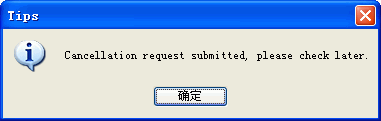
System will make sound effect if you have set enable system sound effect.
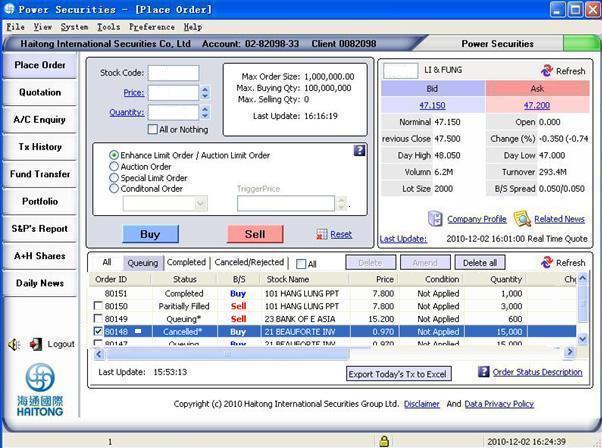
4.Click [Refresh] button(make effect by refresh at least once)to refresh the order book.It is shown that No.80148 has been deleted as follows:
Bulk
Cancel1.For deletion of all outstanding “received”, “queuing” and “partly filled” orders, only need to click “Delete all” to finish operation (For cancellation of multiple orders firstly choose the records that need to be deleted, click “Delete”). A new window will pop up.
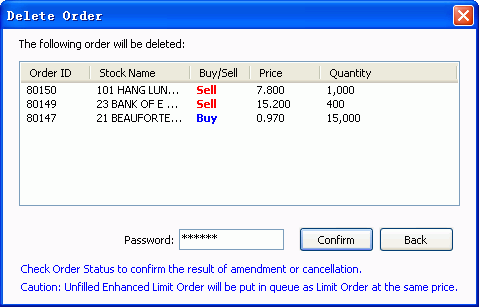
2.Enter your password and press [Confirm] to finish the process.
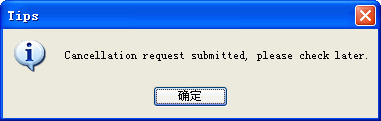
System will make sound effect if you have set enable system sound effect.
Check
Order Status to confirm the result of amendment or cancellation:
If you do not want to change the order quantity, you would not need to
amend the quantity inside the field of 『Ultimate order quantity』. The
Ultimate order quantity should be equal to outstanding quantity (OS. Qty)
plus filled quantity (Filled Qty) This value has already filled inside
the field of Ultimate order quantity by the system automatically.After
placing amend/cancel order, please kindly click the <<Refresh>>
button at「Order book」to update the trading status. Market may not accept
the amend/cancel order. Please confirm the result of amendment or cancellation
at Order Status.
And after order cancellation/modification, there will be a remark besides
the order
status:
" * " Cancellation/Modification Success (The latest cancel/modify
instruction is successfully executed).
" # " Cancellation/Modification Fail (The latest cancel/modify
instruction is rejected).
" @ " Cancellation/Modification is in progress (The latest cancel/modify
instruction is processing and waiting to be submitted to HKEx).
Any
unfilled Enhanced Limit Order will be put in queue as Limit Order at the
same price
Any unfilled Enhanced Limit Order will be put in queue as Limit Order
at the same price. Amendment to Enhanced Limit Buy / Sell Order can be
made only at a price not higher than the best ask / a price not lower
than the best bid prices or else the amendment will be rejected by the
system.
|

 From 9:45 to
10:00 am,
From 9:45 to
10:00 am,