Enhanced Stop Limit Example:
Supposed we have opened a position by selling a futures position at 20290, would like to set he stop loss point for 10 index points. When market reaches 20300 points, in our example, the system will trail 10 points and send a close position order to market at 20310. At the same time, we would like to limit our loss due to market volatility.
To place Toler orders:
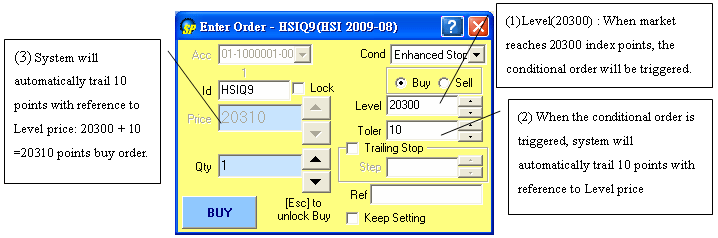
- Choose "Enhanced Stop" in "Cond" (condition)
- Choose Buy/Sell (Buy)
- Fill the stop loss price "Level" (20300)
- Fill "Toler" (10)
- Press "Buy" or "Sell to confirm your order
To place Trailing Stop orders:
This example is a Sell Stop loss order. Let’s say the market is at 20290 index level
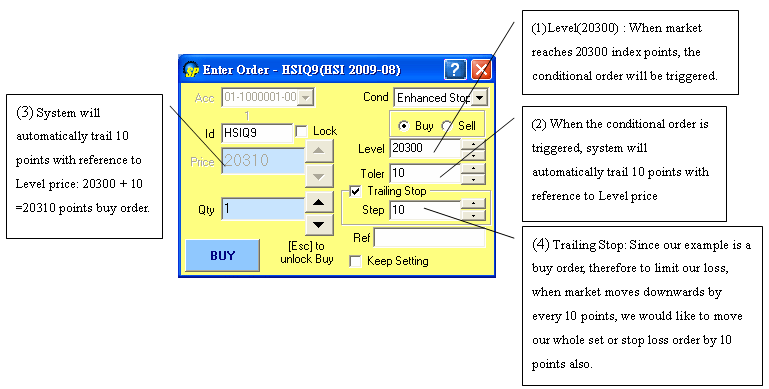
- Choose "Enhanced Stop" in "Cond" (condition)
- Choose Buy/Sell (Buy)
- Fill the stop loss price "Level" (20300)
- Fill "Toler" (10)
- Check the box next to the "Trailing Stop" with a

- Fill "Step" (10). "Step" means the degree of change of the market price leading to change of the stop loss price. Input value "10" means the stop loss price will change for 10 points when the market price changes for 10 points
- The reference price is "The Last Executed Price"
- Press "Buy" or "Sell to confirm your order.
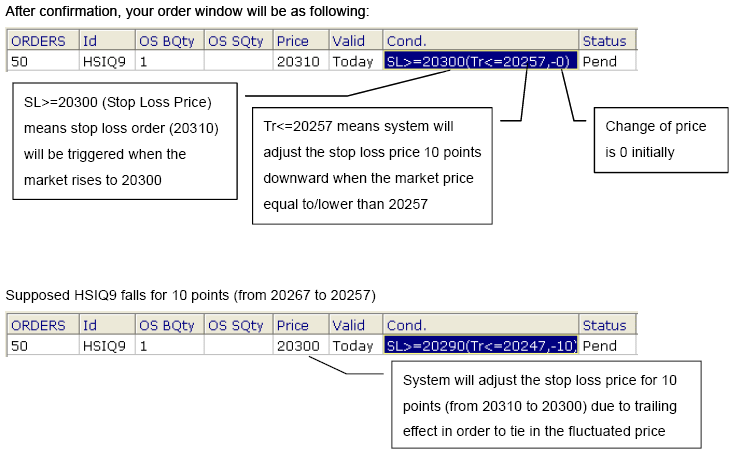
Graph above showing HSIQ9 falls for 10 points
SL>=20290 means stop loss at 20300 will be triggered when the market price rises to 20290;
Tr<=20247 means system will adjust the stop loss price downward for 10 points when the market price falls to 20247;
-10 means the stop loss price has been adjusted downward for 10 points from 20310 to 20300.
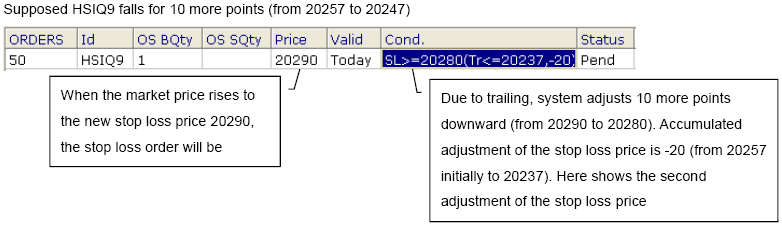
Supposed the market falls to 20280 and then bounces back to 20310:
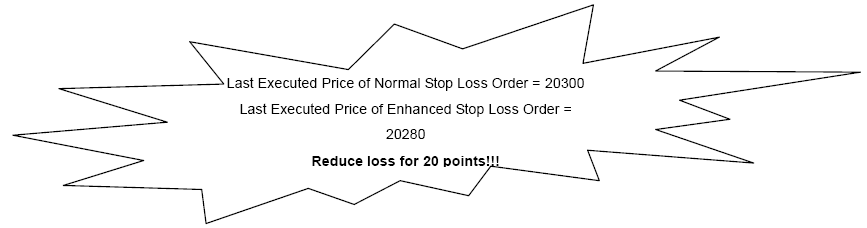
Note: Enhanced Stop Loss order price can be adjusted more than 10 "steps" under volatile market condition
[ Back ]
|